Venice.ai Change Log - May 20th - 26th, 2025

It’s been a busy week for our team with 3 major releases, and a slew of updates and bug fixes for you:
Simple Mode for Pro Users
Venice… Enhance any Image
New Image Model: HiDream
Pro User? Help us test Simple Mode
We're about to roll out the biggest upgrade to the Venice's user experience since our launch: Simple Mode.
Simple Mode provides a streamlined experience by automatically routing your prompts, eliminating the need to manually select a chat type or model (if you ask for an image, it will just know it, without any conception of "Image Mode").
We’ve also added the concept of "image context", which allows you to build images through subsequent prompts. We believe for new users, this will dramatically simplify the user experience, making Venice feel and behave more like other generative AI platforms.
How can you help?
1. Go to your App settings and toggle on Simple Mode. You will see that the model dropdown, and mode selector, will disappear.

2. Chat with Venice and try different prompts in natural language. "Tell me about France" or "Create image of France" etc. Text, web search, image generation, all of it should work automatically.
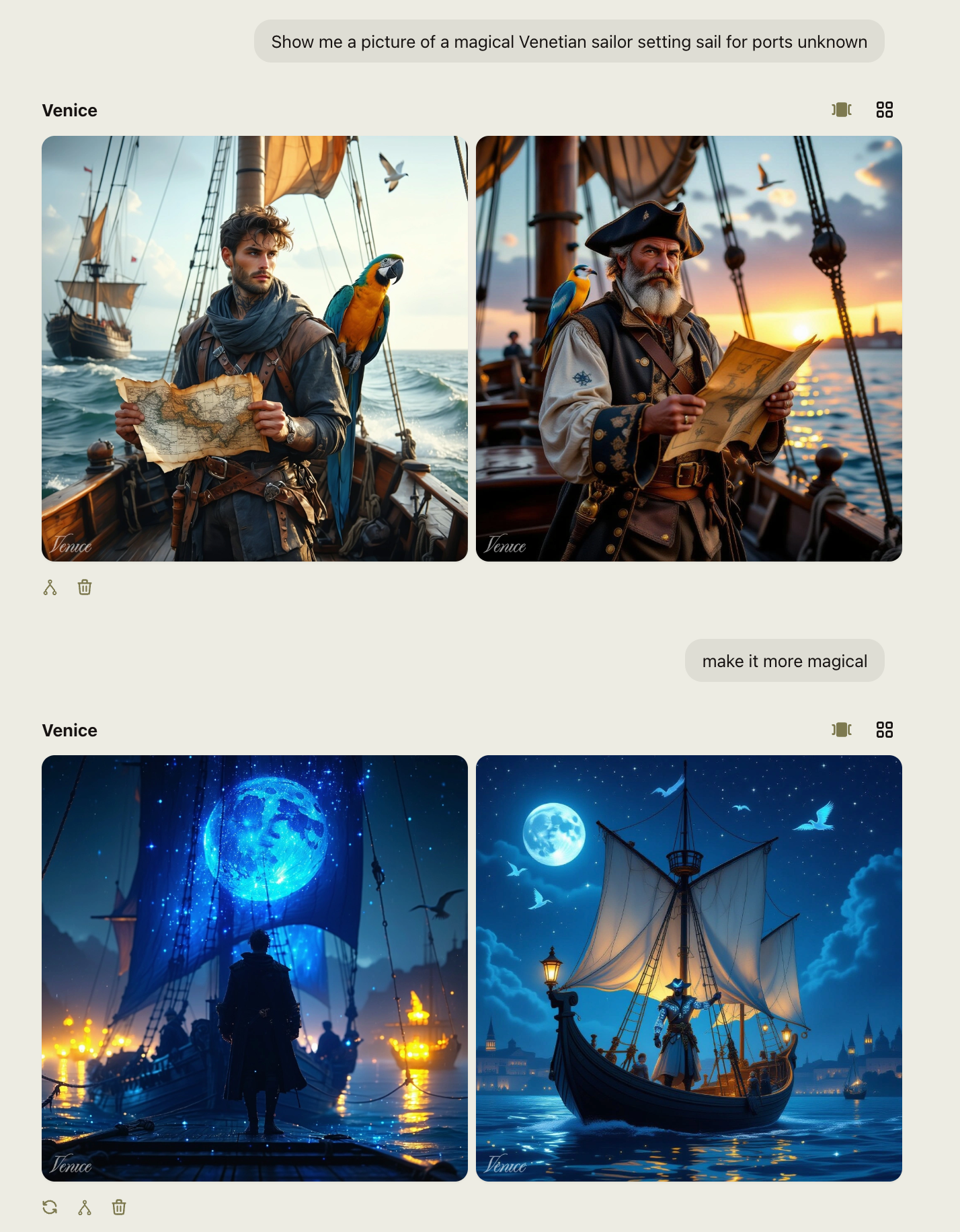
3. Send your experiences and feedback to [email protected]. Please include screenshots and videos, or share your chat for things that don't seem to work as expected.
We appreciate you taking the time and look forward to hearing your feedback.
Venice… Enhance Image
Pro users can now upscale and enhance any image. Click on the paperclip or drag and drop an image into the image generation chat.
Upscale & Enhance system represents a significant leap beyond traditional pixel-by-pixel methods:
• Use Upscale for accurate enlargements: Use the Upscale feature when you want to maintain the exact style and composition of your image while increasing resolution.
• Use Enhance for creative enhancements: Use the Enhance feature when you want to add details and refinements beyond what's in the original image.
HiDream is now available on Venice
Read more about our latest model in our announcement tweet.

Key Features Prompt adherence - Achieves industry-leading scores on GenEval and DPG benchmarks, outperforming all other open-source models.
Text placement - Effective and accurate text generation and placement, making it useful for graphic design purposes.
Commercial-friendly - Generated images can be freely used for personal projects, scientific research, and other applications.
App
Added an image generation loading state to make it more clear that the UI is waiting on inference.
Added a setting to enable display of message timestamps in the App Settings - Featurebase
Fix crash when editing a chat message and using Space key. - Featurebase
Updated the error when documents too large to be processed to be human readable.
Refactored context filtering logic to prevent
Your message is too long for the selected modelerrors when dealing with chat conversations with large histories.Ensure that white space submitted in system prompts sent from the app are preserved all the way to the LLM.
Improved error messages when there are issues communicating with Venice’s inference servers.
Update the image generation prompt enhancer to ensure messages are constrained to fit within the image prompt limits.
API
Fixed a regression in streaming responses when invoking tool calling. Added test coverage to avoid future regressions.
Enabled support for
response_formatto 405B and Deepseek. Ensure thinking models don't inject <think> tags into the response when response format is enabled.Return 504 timeouts when non streaming requests timeout. Recommend use of streaming responses when inference is expected to run for longer durations.
Remove default `max_tokens` on API calls, permitting inference to use the full context of the LLM unless the user specifies a specific
max_tokens
Characters
Introduced a character avatar popover on larger screens, displaying detailed character information and a quick chat option.
Added display of character creation date and creator information on public character profiles.
Introduced clearer visual grouping and dividers in character menus.
Added a "View & Rate Character" menu item for improved access to rating features
Token
Updated the token dashboard to fix a few UX issues when used via mobile wallet.